Seamless compliance with SL2™ Enterprise Capture
The SL2 enterprise class platform enables collaborative and compliant mobile business communication internally and externally across your organization and industry. IT and Compliance professionals can operate with confidence knowing SL2 Enterprise Capture is leveraging robust, leading edge security and compliance. Employees can rest easy knowing SL2 is separating their personal and business communication while providing them with a compliant mobile environment to connect and collaborate with their customers and peers on the channel they prefer.
CellTrust delivers seamless mobile communications capture across all carriers, iOS and Android operating systems and device ownership models. Our flexible, compliant platform provides App Capture for BYOD and COPE device strategies and Carrier Capture for COBO corporate liable strategies. Enterprise customers are combining both capture methods on a single device with CellTrust’s Stacked Capture solution for enhanced compliance protection.
App Capture = Over-The-Top texts/messaging via the SL2 Enterprise Capture app are captured
Carrier Capture = SMS/MMS messages sent through the carrier network are captured
Stacked Capture = App Capture + Carrier Capture ensures App messages and SMS/MMS are captured
BYOD = Bring Your Own Device
COPE = Corporate Owned Personally Enabled
COBO = Corporate Owned Business Only
App Capture for BYOD separates work and personal
BYOD capture is very popular with employees enabling them to use their personal mobile devices for business communications while the SL2 Enterprise Capture app seamlessly separates their work and personal lives, reducing compliance risk.
Work
Compliance
Communications are time and date stamped, tracked, logged and archived for eDiscovery. A contextual history of user and customer communication via MBN is provided.
Separate mobile business number (MBN)
BYOD deployments are assigned Mobile Business Numbers (MBN’s) on iOS and Android devices that separate work and personal calls, SMS and chat.
Safeguard assets
The organization controls the MBN assigned to devices. Subject to carrier requirements, if an employee leaves, the work number and associated contacts stay with the organization and can be transferred to another employee. Communications are eDiscoverable. Work data can be remotely wiped.
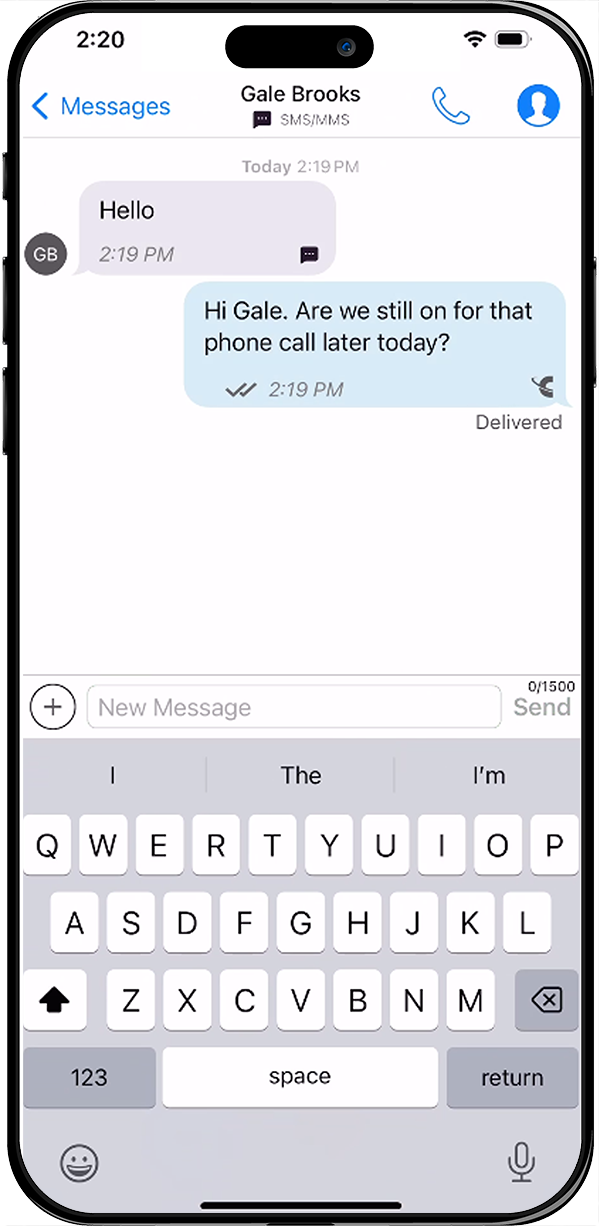
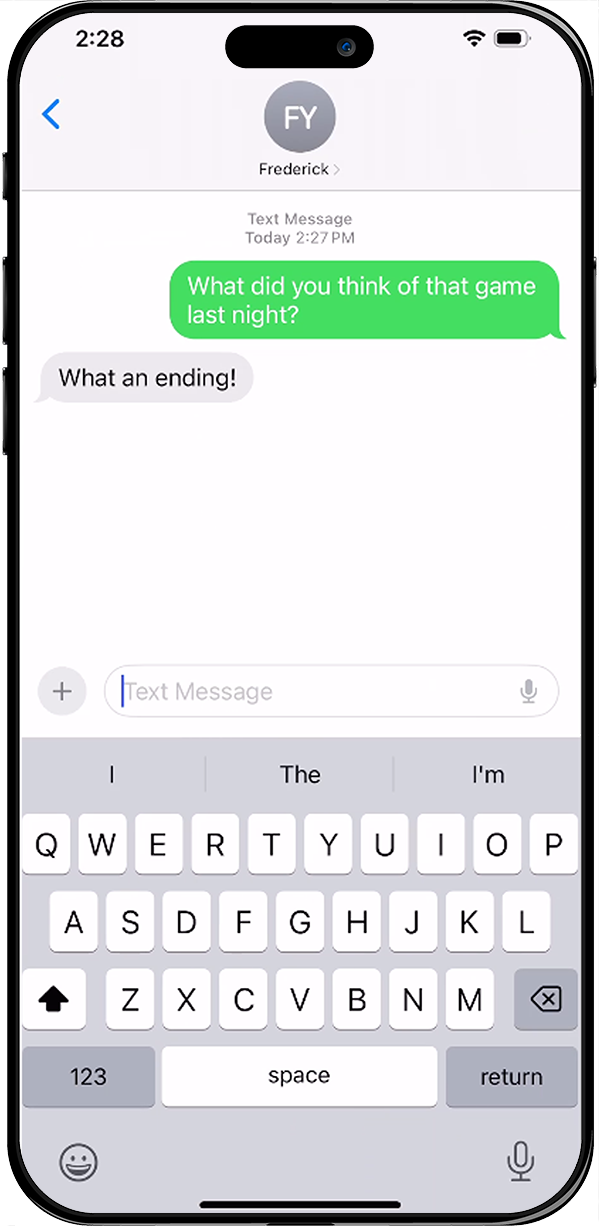
Personal
Personal use
Information and apps on BYOD devices that are personal instead of business can remain untouched.
Employee choice
Employees get to use their smartphone of choice with their preferred service plan.
Personal privacy
SL2 does not use GPS or other features to identify, track, or reveal your location, so that this information is never captured or stored by SL2.
SL2 enables users to keep their personal messages separate. As long as personal messages are not sent through SL2 or WhatsApp integrated with SL2, our system cannot access personal messages. However, contacts can be shared from personal to work without the need to reimport.
App Capture for COPE
COPE, or Corporate Owned Personally Enabled, is a business strategy where a mobile device that is owned by the company is issued to employees. With the COPE model, both business and personal applications are installed onto the Corporate Owned device. While the employee is required to use the device for business, the employee may also use the device for personal purposes. To properly capture text messages for COPE, the SL2 mobile app, and typically a mobile container with Mobile Device Management or Mobile Applications Management, is required to ensure that personal messages are kept separate and not retained by the employer.
Feature rich and flexible
- Capture text and/or voice communications
- Optional integration with WhatsApp
- Optional integration with Microsoft Teams
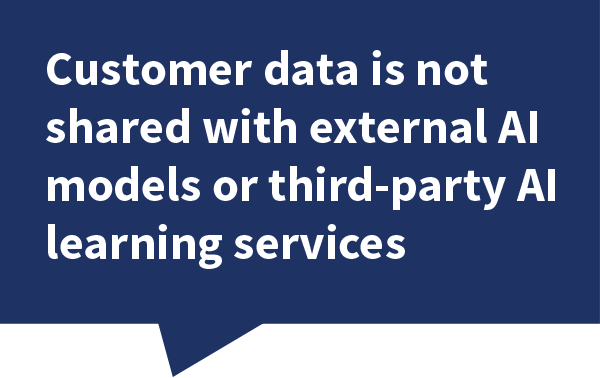
- Optional integration with SL2 Private AI
- Mobile Business Number™ (MBNs)
- Separates work and personal on one device
- Office landlines can be integrated
- Integration with leading archivers
- Integration with CRM and email
- Bulk contacts from CSV, vCard, Salesforce®
- Office 365/Exchange contact syncing
- SIM Calling
- International texts, calls and chat with MBN*
- True Group Messaging
- SMS prescheduling
- SMS out-of-office/autoreply
- Range of templates and policy options
- Customizable consent configurations
- API for SL2 platform available
- Engineered in the Microsoft Azure Cloud
*Where permitted
A quick introduction to SL2™ Enterprise Capture


Innovative calling options
SL2 helps eliminate call dropping just at the wrong moment. In situations where there is low network connectivity, voice calls can be switched between Cellular/SIM and VoIP.
For users traveling internationally – text, call, and WhatsApp chat outside the US using your US-based or international SL2 MBN.
Compliant business messaging
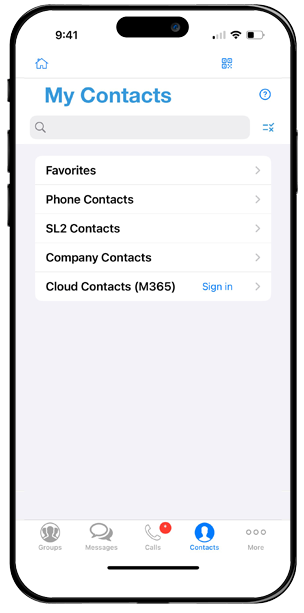
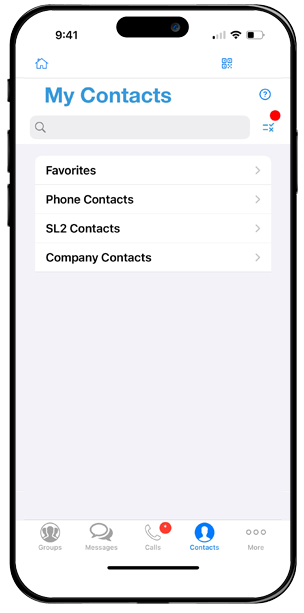
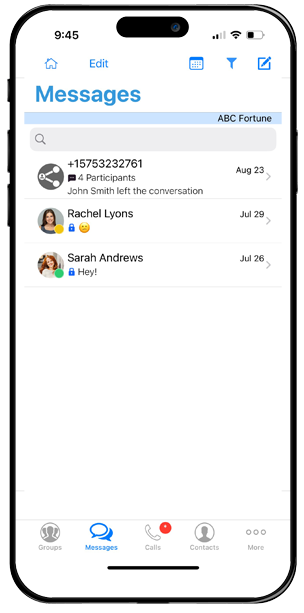
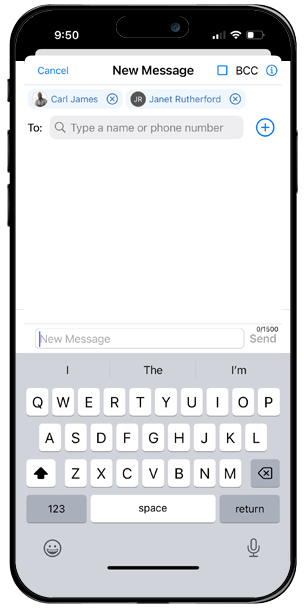
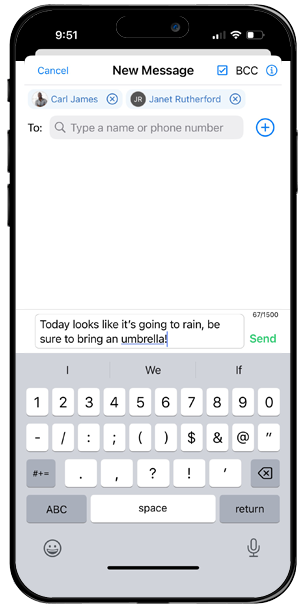
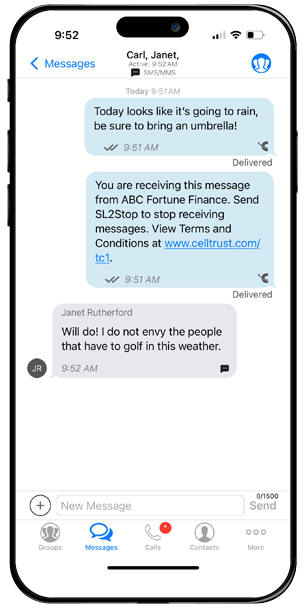
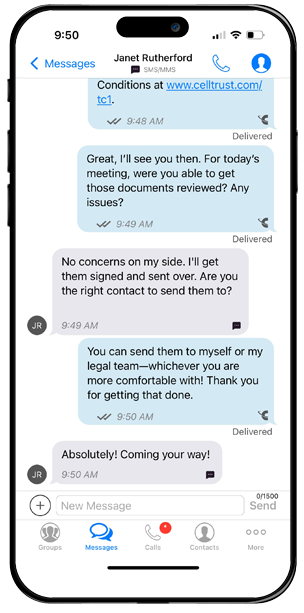
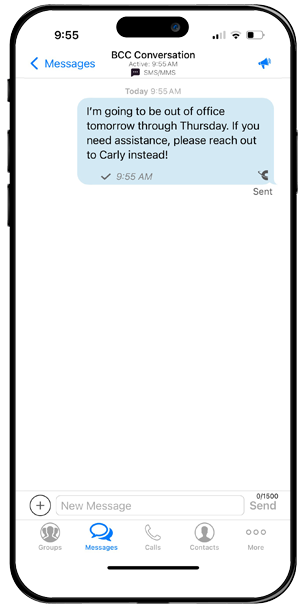
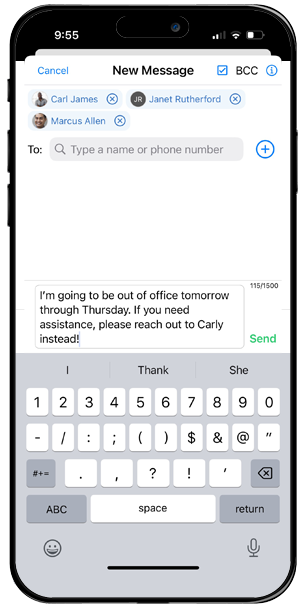
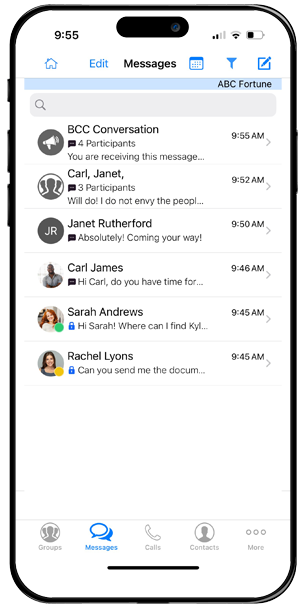
Developed with compliance in mind, the SL2 Enterprise Capture app is packed with easy to use, compliance related messaging features to ensure your team and organization can reduce the risk of violations. Compliant SMS/MMS and Group MMS, private chats, group chats, scheduled messages and broadcast announcements/bulletins and chats are enabled. Messaging templates, personal signatures and corporate disclaimers are provided and can easily be customized and updated. Search message body, phone number blocking and automatic replies are also valued features.
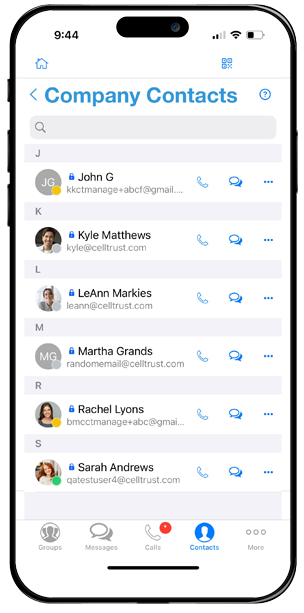

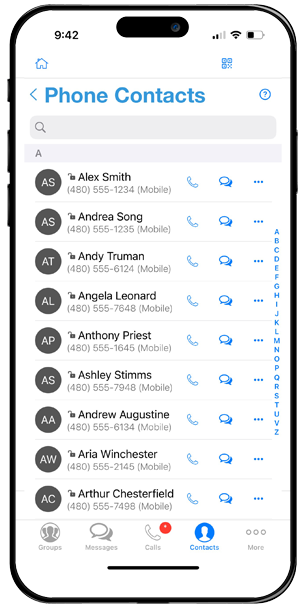

Maximizes office landline/VoIP ROI
Clients call or text one phone number
After CellTrust enables your landlines for texting, the SL2 platform uses the caller ID of the landline. Clients only have one number to call or text and do not need SL2 on their phone.
Service provider remains the same
Voice functionality of the landline and current service provider remains the same. Calls received on the landline number go to the desk phone and can be forwarded, or simultaneously ring, the user’s smartphone.
Carrier Capture for corporate liable devices with no app
CellTrust has teamed up with leading network carriers to deliver a powerful COBO corporate liable device compliance strategy. With direct Carrier Capture on the CellTrust SL2 Enterprise Capture platform, no third-party app is required. Employees can use the device’s native messaging app, as SMS/MMS data is automatically captured by the carrier. iMessage can also be fully disabled – closing a major gap in mobile compliance. This enables organizations to ensure seamless and compliant text message recordkeeping, with no discernible difference in the user experience.
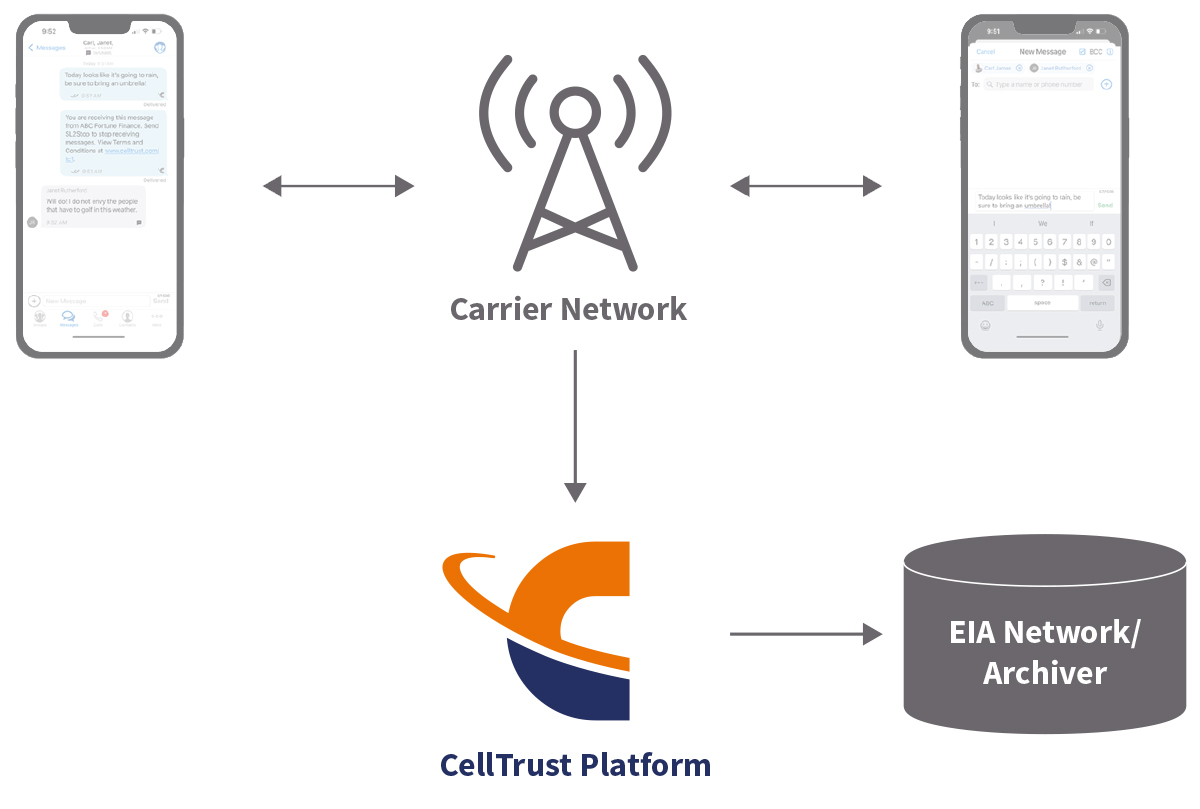

All text messages sent to and from mobile phones are transmitted through carrier networks. With Carrier Capture, communications are seamlessly duplicated by the carrier and sent to CellTrust, where they are then archived to an Enterprise Information Archiving (EIA) system for compliant storage and oversight.
No discernible difference in the user experience
- Messages from SIMs or eSIMs are captured with the latest advanced APIs to provide data integrity and resiliency
- SMS and MMS are captured within the carrier network in their native format in a conversational context, including attachments
- Employees can compliantly engage with customers and collaborate without an additional app
- Easy Enterprise Information Archive integration
Industry first self-service Carrier Capture portal delivers maximum flexibility and control
- Easy self-service portal deployment with automated provisioning and number porting
- Easily configurable global or group policy controls
- Streamlined self-service portal message content monitoring, supervision and eDiscovery
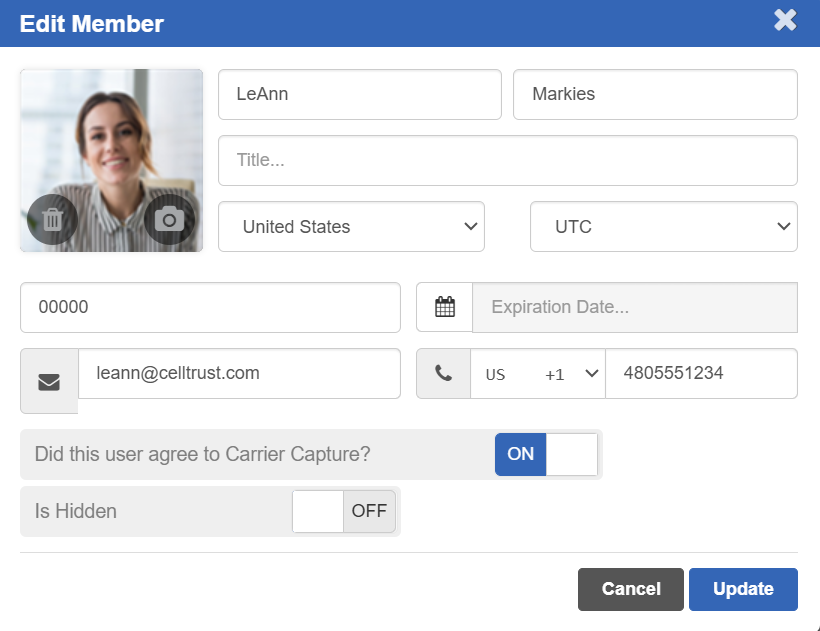
What is a COBO, or Corporate Owned Business Only device strategy?
COBO, or Corporate Owned Business Only, is a business strategy where the mobile device is both owned and fully managed by the company but is issued to employees. COBO mobile devices are restricted for business use only, and employees are not allowed to use them for personal purposes. With the COBO business model, employees typically carry two phones. They carry the corporate issued device as well as their own personal device(s). With the COBO model, Carrier Capture is typically used to capture text messages since it is capturing all messages sent from the device, and the employee should not be using the device for personal purposes. Typically, Mobile Device Management or Mobile Applications Management is required to properly manage the COBO devices.
Stacked Capture layered on the same device
Enhance compliance protection and lower risk
To elevate compliance and reduce regulatory risk, many organizations deploy CellTrust’s Stacked Capture solution as a core part of their Corporate Liable device strategy, ensuring comprehensive message capture and peace of mind.
Why choose a Stacked Capture solution for COBO?
If your organization is implementing a COBO Corporate Liable mobile communication strategy, CellTrust’s Stacked Capture solution offers powerful advantages you shouldn’t overlook.
Capture 100% of all text/SMS/MMS on the device
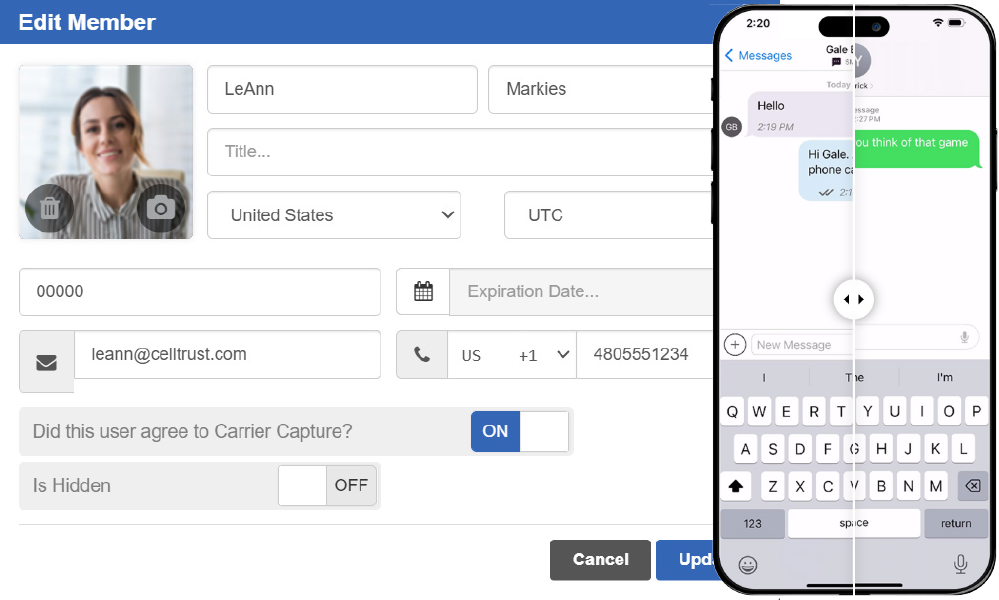
CellTrust’s Stacked Capture deploys both App Capture and Carrier Capture on the same device on the SL2 Enterprise platform to capture 100% of all text/SMS/MMS.
iMessage can be fully disabled
With Mobile Device Management, iMessage can be fully disabled, closing a major gap in mobile compliance. This strategy also allows users to take advantage of the SL2 app’s rich user and compliance feature set, capabilities not available through the device’s native messaging app.
The key advantage?
Every message is captured, no matter which app is used, ensuring enhanced coverage and compliance without compromising user choice or experience.
Key Benefits:
- iMessage is disabled for enhanced compliance
- Full functionality of the SL2 Enterprise Capture app
- Native SMS messages are captured by the network carrier
- 100% capture of all text/SMS communication channels on the device
Features:
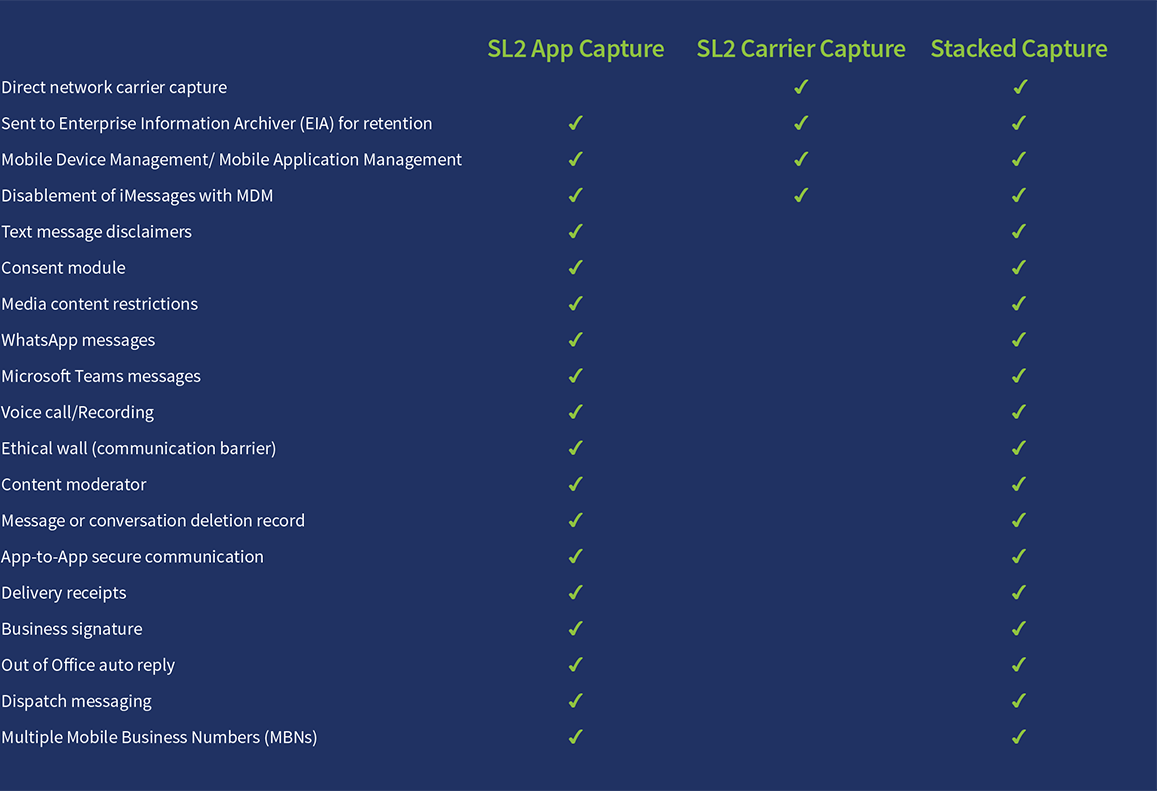
App, Carrier or Stacked? Take control of capture compliance across your mobile device network
The SL2 Enterprise Capture administrative portal empowers your IT and compliance teams with a powerful, easy-to-use, self-service management platform. The intuitive dashboard provides near real time oversight of user activity, devices, policies, Mobile Business Numbers (MBNs), archiving, system logs, and more—ensuring enterprise policies are enforced across your network for App, Carrier and Stacked Capture solutions.
With seamless configuration tools, IT and compliance teams can:
- Assign and manage MBNs
- Set and update rules and policies
- Monitor and correlate voice, text, and chat activities
- Customize archiving settings
- Quick customizable reports at the organization, group and user levels
- Compliance reporting for numbers who have opted in and out
The advanced reporting feature allows for quick, customizable reports at the organization, group, and user levels—delivering actionable insights and streamlined compliance management.
- At-a-Glance Dashboard
- Address Book
- My Profile
- My Contacts
- My MBNs
- My Devices
- My Policies
- Report Center
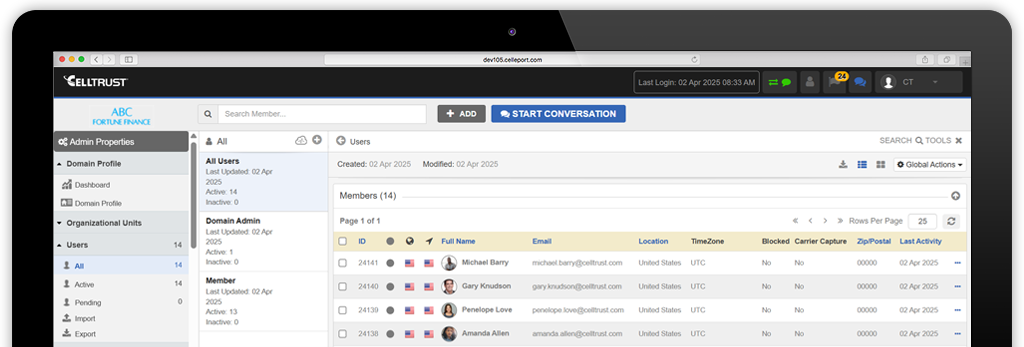
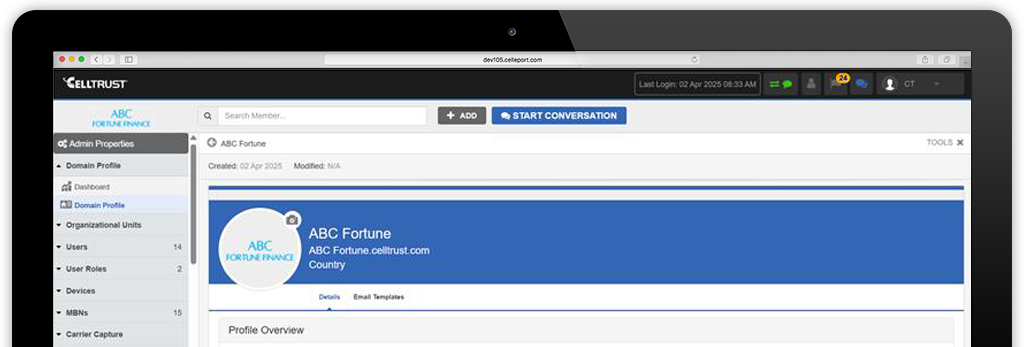
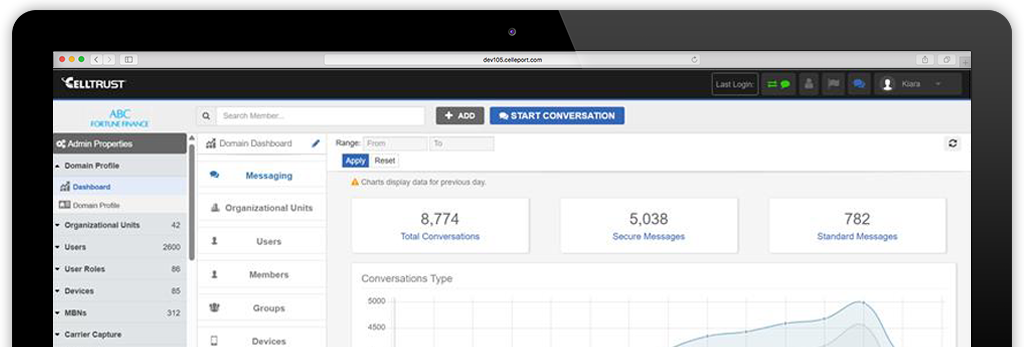
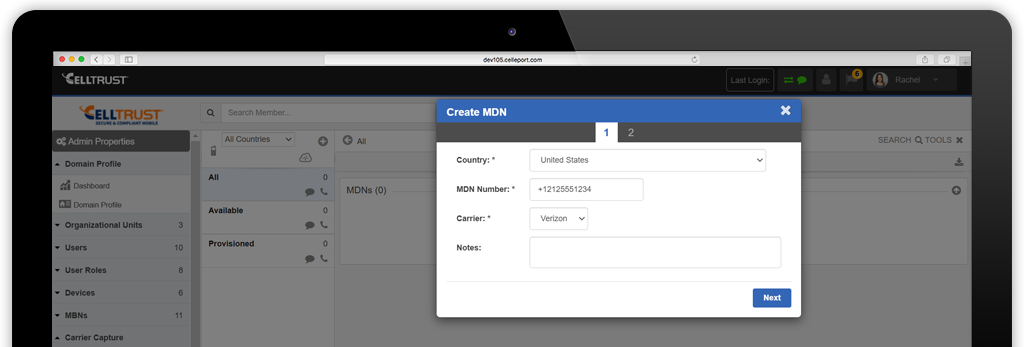
Advanced reporting tools deliver actionable insight and streamline compliance management:
Messaging and calls reports
The SL2 Enterprise Capture portal provides detailed logs of all communications, including calls, texts, and multimedia messages. These logs capture essential metadata such as timestamps, sender and receiver information, and message content, ensuring thorough documentation of interactions.
Customizable reports
Admins can generate customizable reports tailored to their specific needs. This includes filtering by date range, communication type, user, and other criteria. Customizable reports allow organizations to focus on pertinent data and derive insights relevant to their operations.
Activity monitoring and usage reports
Billing Reports provide an overview of user engagement and communication patterns. These reports can help identify trends, monitor performance, and detect any anomalies in usage, contributing to proactive management of communication practices.
Syslog compatible
CellTrust SL2’s audit trails provide a detailed log of user actions, such as logins, message deletions, and setting changes. These logs can be sent to your enterprise Syslog Server, aiding in incident investigations and accountability.
Connect with customers on the channels they prefer
Mobile communication has forever transformed the way we work and do business. While it has dramatically enhanced collaboration, it has brought with it the challenge of off-channel mobile communications for regulated businesses subject to recordkeeping compliance. Off-channel meaning – any mobile channel subject to recordkeeping compliance such as text, MMS, chat, collaboration apps and voice communications not being captured and retained.
CellTrust has integrated SL2 with many of the most popular collaboration apps so that employees can connect with customers on-channel – on the channels they prefer and commonly use:

Seamless recordkeeping, retention and records management
Meeting records retention compliance regulations including: FINRA, SEC, IIROC, Dodd-Frank Act, GLBA, SOX, FCA, MiFID II, FOIA, Sunshine Laws, and HIPAA have never been more streamlined. SL2 Enterprise Capture is archiving agnostic — with multiple archiving options are available for text, MMS, chat, voice, separate voice and SMS endpoints, and short code.
Maximize eDiscovery and legal hold for audits and investigations by choosing a custom archiving solution, bring your organization’s current archiving platform with you, or choose from one from CellTrust’s leading archiving technology partners:







SL2™. ONE PHONE. TWO LINES. CONTAINERIZED.
Select from a range of secure Endpoint Management (UEM) and Enterprise Mobility Management (EMM) solutions integrated with SL2 Enterprise Capture providing leading edge mobile device management, mobile app management and mobile content management.
Our customers’ Top Ten
With tens of thousands of users around the world – we get a lot of feedback. Our customers have identified these top ten stand out features as requisite to their compliant mobile-first business communication strategy.
- Easy to stay compliant with FINRA and SEC regulations.
- Convenient organization and separation of Business versus Personal mobile communications.
- You can SMS enable your existing office landline number.
- Automatic Reply feature allows you to automatically notify clients when you are unavailable, i.e., in a meeting, out of
office, outside office hours. - You can use the same business phone number on multiple mobile devices or from a web browser to send and
receive messages and calls with clients, and they will all be captured for compliance. - Messaging Templates allow you to pre-define commonly used messages and send them quickly for more efficient
messaging, i.e., disclaimer and consent configurations, sending a link to schedule a meeting, creating a link to a
document in box™, Microsoft OneDrive or another secure file sharing platform and sending. - Scheduled Messaging feature allows you to send notifications of upcoming appointments.
- Dispatch feature allows you to message multiple clients at one time without exposing their information to each
other. - Add your signature with contact information and a scheduling link.
- Security: your communications are encrypted in transit and at rest while in CellTrust’s network.
In the Microsoft 365 US Government cloud
SL2 Enterprise Capture is available in the Microsoft 365 Government Community Cloud (GCC). GCC is a Microsoft Platform as a Service engineered in the Azure cloud separate from the commercial Azure cloud platform environment. Microsoft 365 GCC is certified to FedRAMP High standards and meets the flow down requirements of DFARS 7012.
The following CellTrust patented technologies are used within SL2™ Enterprise Capture:
Patent 11,451,660 System and method for tracking and archiving mobile communications
Patent 10,778,837 System and method for tracking and archiving mobile communications
Patent 10,992,802 System and method for tracking sms messages
Patent 10,412,215 System and method for tracking and archiving mobile communications
Patent 9,775,012 System and method for tracking SMS messages
Patent 9,686,660 Secure mobile information management system and method
Patent 9,572,033 Systems and methods for encrypted mobile voice communications
Patent 9,154,612 Secure mobile information management system and method
Patent 7,920,851 Secure mobile information management system and method
CA 2909613 System and method for tracking sms messages
EP 3 304 842 System and method for tracking and archiving mobile communications
EU 3304842 System and method for tracking sms messages
EU 2984863 System and method for tracking sms messages
HK1220855 System and Method for Tracking SMS Messages
Malaysia Patent No. MY-172205-A System And Method For Tracking SMS Messages
PH 1-2015-502384 System and method for tracking sms messages
SG 11201506971R System and method for tracking sms messages
SG 11201709823P System and method for tracking sms messages